
Forum
Notifications
Clear all
Hardware Repair
22
Posts
4
Users
0
Reactions
1,958
Views
Topic starter
Bonjour à tous !
J’ai un CDI 180/181 qui semble fonctionner (ventilateur qui tourne, voyant bien allumé, lecteur qui semble charger les disques, etc.), cependant impossible d’obtenir une image sur mon écran… Je me demandais s’il était nécessaire de faire des choses en particulier ? D’avoir une télé particulière ?
Quand je compare à cette vidéo, moi je n'ai pas l'heure qui s'affiche sur le module du haut, uniquemenet le voyant vert "power"... Cela indique t-il un problème ?
https://www.youtube.com/watch?v=1NQh6Fg2zOM
Si vous avez des pistes de réflexion, je suis preneur !!
Merci beaucoup !
Mini
Good morning all !
I have a CDI 180/181 that seems to be working (fan running, indicator light on, reader that seems to load the discs, etc.), however impossible to obtain an image on my screen… I was wondering if it was necessary to do specific things? To have a particular TV?
When I compare to this video, I don't have the time displayed on the top module, only the green "power" light ... Does this indicate a problem?
https://www.youtube.com/watch?v=1NQh6Fg2zOM
If you have any food for thought, I'm interested!
Thank you very much !
Mini
Posted : 09/05/2020 12:53 pm
Hello Mini!
I do not own a 180/181 units unfortunately. Here is Portugal, a guy was selling the 180/181/182 for almost 600€, crazy guy...
However, the time should appear, but even if it doesn't, the image on screen can have nothing to do with this fact.
We are talking about an old unit. Please open it and verify the soldering points of the connections to the cables that connects the units between them and to the screen TV.
Let us know.
Posted : 09/05/2020 4:33 pm
Topic starter
Oh ! I would love to have a 182 one day to complete it all !
I have to open it and watch it. I wonder if there is not a battery or a system like that for the time problem; Check when I open it.
I keep you posted
Mini
Posted : 09/05/2020 6:25 pm
Ok, I will wait.
Posted : 09/05/2020 6:32 pm
Topic starter
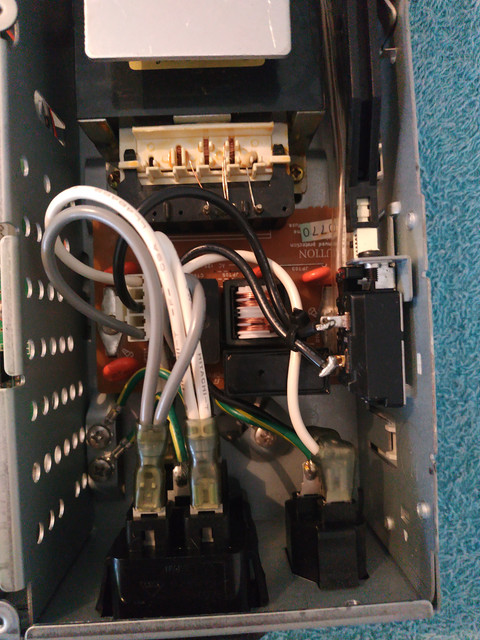
Ok let's go, let's open this CDI !
We start with the CD module 180.


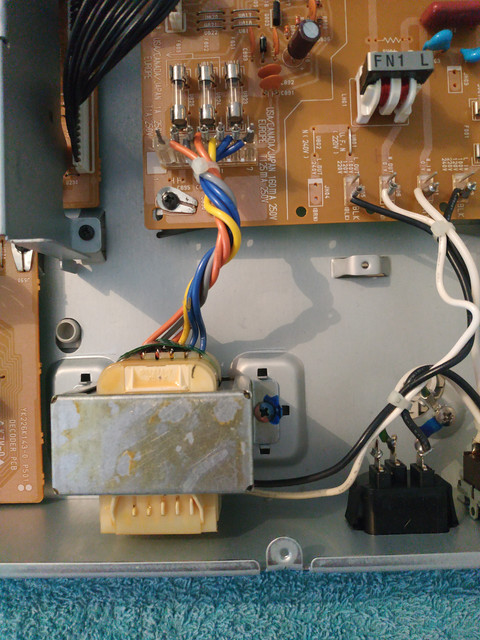

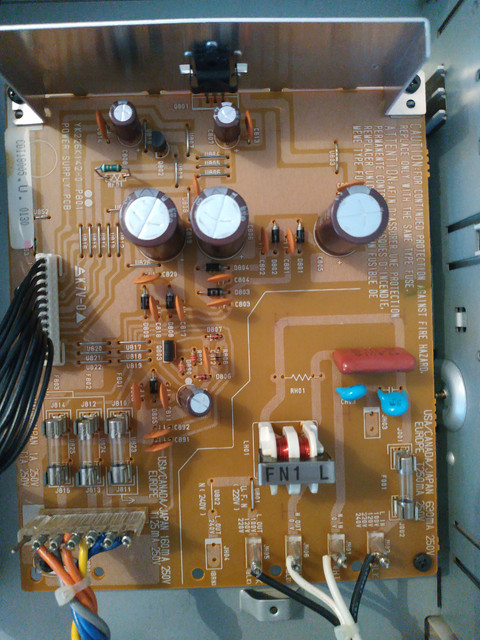


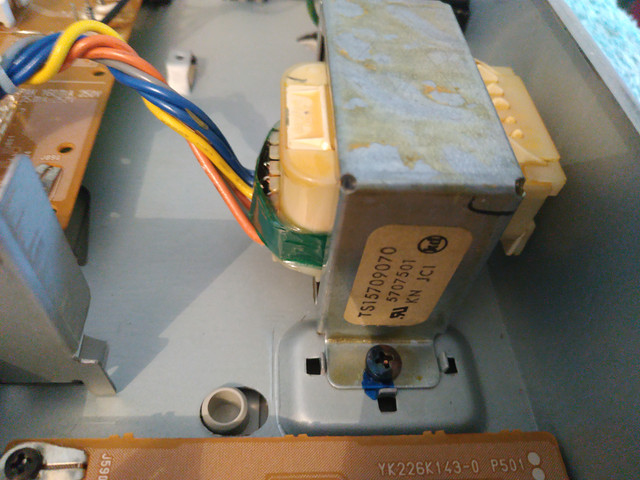

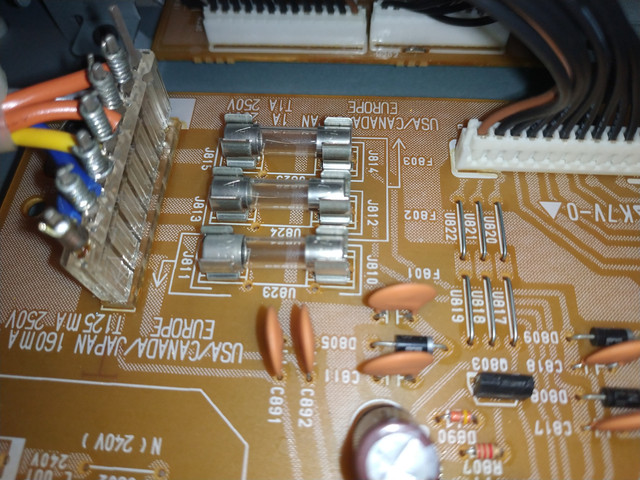

I don't see any defective soldering, or HS capacitor at first sight. everything seems normal ....
There are empty fuses on the other hand, but there does not seem to be a dead filament in them, strange isn't it?
We move on to the second module, the multimedia module 181.


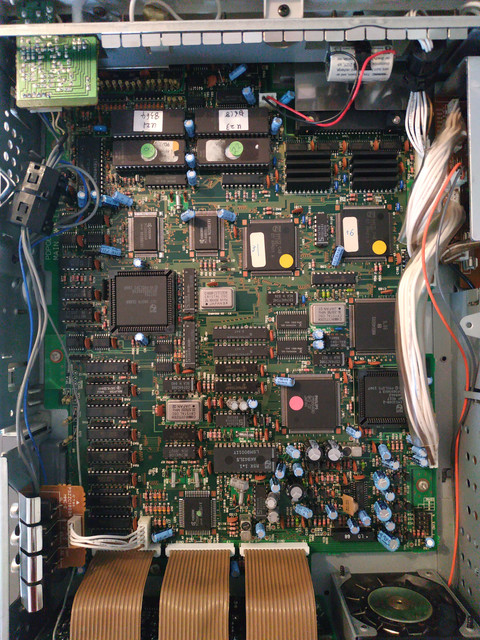
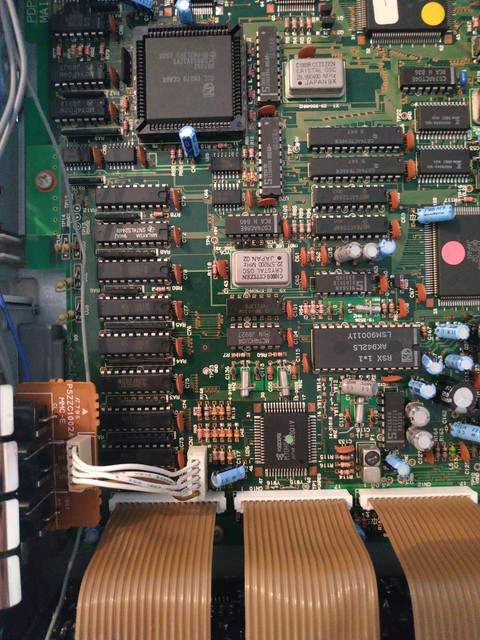


here similar no soldering which seems to be redone, or HS capacitor ...
Mini
EDIT :
Well I managed to have a display, but it is very weak (with a lot of light we can't see well). It displays "play" if I start a game, or the number of tracks and the duration if I insert an audio CD.
And I also managed to have sound! I am lucky that the cursor is positioned base on the "CDI button" so I was able to launch a game completely blind XD So I have sound as well in the headphone jack, as in the top -Speakers! But still no picture ....
Mini
Posted : 10/05/2020 2:11 pm
First, some questions:
Can you please show the back of the units so I can see the region / stickers?
Did it ever work or did you buy the units like this?
What video cables and what kind of TV are you using?
For troubleshooting, connect only 180 and 181 - this is the basic configuration.
(The 181 probably operates on its own as well.)
I'd start with the video cable; try different composite and S-video cables (I assume that you don't have an RGB cable).
Important: Set the switch to the correct standard of your TV (PAL/SECAM 625 or NTSC 525).
Next, check the clock battery at the front and replace if necessary.
Besides that, I'd try to connect a terminal to see if it outputs some diagnostic information or a low-level test menu. From what I've read, the RS-232 port is optional, so I don't know if you have it.
I've found this information on websites of CD-i Fan, it seems that this is not going to be easy:
http://www.cdiemu.org/?body=hw%2ferroneous%2findex
https://cdibits.blogspot.com/search?q=181
Maybe @cdifan has more troubleshooting / service information about this machine?
Posted : 11/05/2020 10:29 pm
Topic starter
Thanks for trying to help me!
I will try to answer all your questions;)
Can you please show the back of the units so I can see the region / stickers?

Did it ever work or did you buy the units like this?
I bought it not too long ago but it was functional, and I have confidence in the words of the seller.
What video cables and what kind of TV are you using?


I don't have a TV. I use an acquisition unit. And for scart consoles (like this CDI), I use a scart -> hdmi converter. the set works very well with my other CDI (660 of memory).
For troubleshooting, connect only 180 and 181 - this is the basic configuration.
(The 181 probably operates on its own as well.)
This is what I do, I plug the 2 modules together.
I'd start with the video cable; try different composite and S-video cables (I assume that you don't have an RGB cable).
Important: Set the switch to the correct standard of your TV (PAL/SECAM 625 or NTSC 525).
I posted the photos of the cable I use, so it must be the RBG cable?
I only have that on hand, but I will be able to recover other cables next Sunday normally.As I use a capture module, I tested the two positions of the PAL / NTSC switch. Nothing changes, sound but no image.
Next, check the clock battery at the front and replace if necessary.
On this one, could you tell me where it is? or maybe can i find that on a diagram?
Besides that, I'd try to connect a terminal to see if it outputs some diagnostic information or a low-level test menu. From what I've read, the RS-232 port is optional, so I don't know if you have it.
The main module (mmc) has an RS232 hinge on the side actually. But I don't have a cable though = x
Mini
Posted : 12/05/2020 1:30 pm
Hey Mini!
Thank you in insisting with us for the repair, you will get your unit working, don't worry!
We will do all we can to make it! You are in the right place!
The battery is place in the front part of the unit, look at the picture with the red cirle.
Also, please open the DB9 and the SCART (Euro connector) and check the soldering inside.
omegalfa
Posted : 12/05/2020 2:11 pm
Thanks for the pictures. The units are from the U.S. region. As long as you give them the right voltage, everything should be fine.
The cable is an RGB cable. It doesn't look like an Philips original to me, but I could be mistaken. Better open it up and look into it like Omegalfa suggested.
And last, can you post a picture of the RS232, so I can try to figure out the correct cable for you?
Important, before you attempt to repair anything:
It is possible, that the unit is in fine working order and you are just using incompatible display devices.
Did I get this right, you only tried to get a picture with a video grabber and a HDMI converter (that is working fine with an RGB SCART from CDI660)?
Video grabbers and converters can be very picky about the signal. Please check at least with another video signal type and cable. If you can, check with a real TV that has these kind of connectors, without grabber and converter between them.
Posted : 12/05/2020 3:59 pm
Rosewood is right.
I have just noticed the voltage on the back of the units. Stop trying connecting it, it may damage the units.
Find a 220V/120V transformer and part of your issue should be solved.
Posted : 12/05/2020 4:31 pm
Topic starter
Thank you both for your help!
The units are from the U.S. region. As long as you give them the right voltage, everything should be fine.
Find a 220V/120V transformer and it should solve the issue.
I do use a transformer to deliver 110V. The seller provided it to me.

Also, please open the DB9 and the SCART (Euro connector) and check the soldering inside.
I'll try to open this this afternoon, if I find how it breaks down ^^
Can you post a picture of the RS232, so I can try to figure out the correct cable for you?
Did I get this right, you only tried to get a picture with a video grabber and a HDMI converter (that is working fine with an RGB SCART from CDI660)?
You'r right. Pictur of my setup.
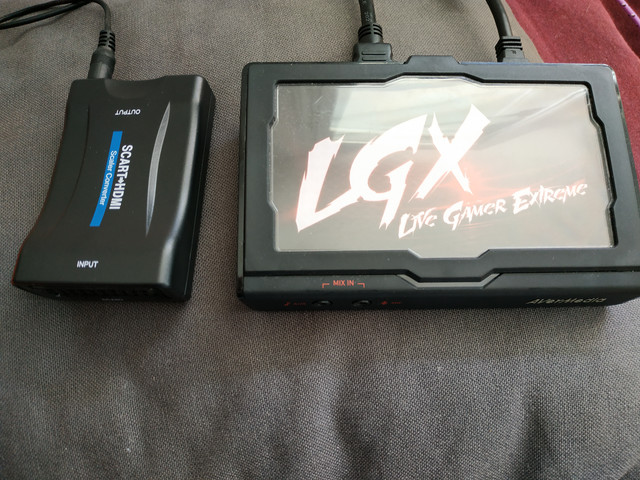
I will be able to try next Sunday normally on a real television.
Can I try to get the video signal from the yellow plug in this photo?

Mini
Posted : 12/05/2020 5:06 pm
The transformer looks homemade but as long as it worked before and works no, I don't see a problem. After all, the disc spins and you get audio.
The RS232 port looks interesting, you might have a rare optional component there. Lets only try to make use of it if everything else fails.
You are right about the yellow socket, this is composite video. The Y/C socket next to it is S-Video. Try to use them with a TV that accepts these signal types.
Posted : 12/05/2020 5:21 pm
Topic starter
You are right about the yellow socket, this is composite video. The Y/C socket next to it is S-Video. Try to use them with a TV that accepts these signal types.
I try that soon as possible, probably sunday.
Also, please open the DB9 and the SCART (Euro connector) and check the soldering inside.
I don't see any soldering problem on the sockets.


Mini
Posted : 12/05/2020 8:11 pm
I had a quick look at the connectors, and they seem to be ok:
SCART 7 (blue) -- yellow wire -- DE-15 3 (blue)
SCART 11 (green) -- red wire -- DE-15 2 (green)
SCART 15 (red) -- white wire -- DE-15 1 (red)
SCART 20 (sync in) -- blue wire -- DE-15 15 (Csync)
SCART 2/4/6 (audio)
About one signal I'm not sure, better have a look at it yourself:
SCART 16 (blank) -- black wire -- DE-15 4 (status RGB) - ok?
Pinout can be found here, by the way: 
Posted : 12/05/2020 9:54 pm
The link that rosewood provided above also contains the pinouts of the RS232 connector.
This will not be very useful, however, there is no diagnostic software in the CDI 181 ROMs like in newer players, at most you would be able to confirm the player booting but you already know that since it gives sound.
The "use a TV" advice is good, also do you have a way to look at the output signals with an oscilloscope or something? Video output is typically very recognizable.
If the TV doesn't help I suspect a problem in the video circuitry, most likely the final VLSI chip (I think it's the MN66460V3 on your photo) and/or the video encoding or other analog signal processing. I have never been able to find any schematics of the units and AFAIK there is no public documentation for that final chip. Two identical 66470 chips are used to feed the 66460, for those I do have documentation, but they are probably working okay as otherwise the software would see it and hang.
If I remember right, the circuit board is double-sided but not multilayered so it should be possible to follow traces; I would recommend tracing back from the video outputs until you land at the 66460 chip. This will require some electronic wizardry, unfortunately... Using a low-voltage resistance multimeter should not damage any circuitry, I think, but Omegalfa is better qualified to talk about that...
Good luck!
Posted : 13/05/2020 3:16 am
Page 1 / 2
Next