• What is the CD-i?
    • CD-i Players
    • CD-i Accessories
  • Open Source
    • Hardware Development
    • Hardware Repair
    • CD-i Title Development
    • CD-izi Authoring Tool
  • Downloads
  • CD-i Emulation
    • CD-i emulator 0.5.3 beta 5 – Titles compatibilities
  • Chronicles
  • High Scores
  • Forum
  • My Account
    • Login/Logout
    • Messages
  • Contact us
    • Website’s History
  • Register
The World of CD-i

Archives

0 1 2 3 A B C D E F G H I J K L M N O P Q R S T U V W X Y Z
Ib Ic Id Ik Il Im In Is It
Inc Ind Inf Int

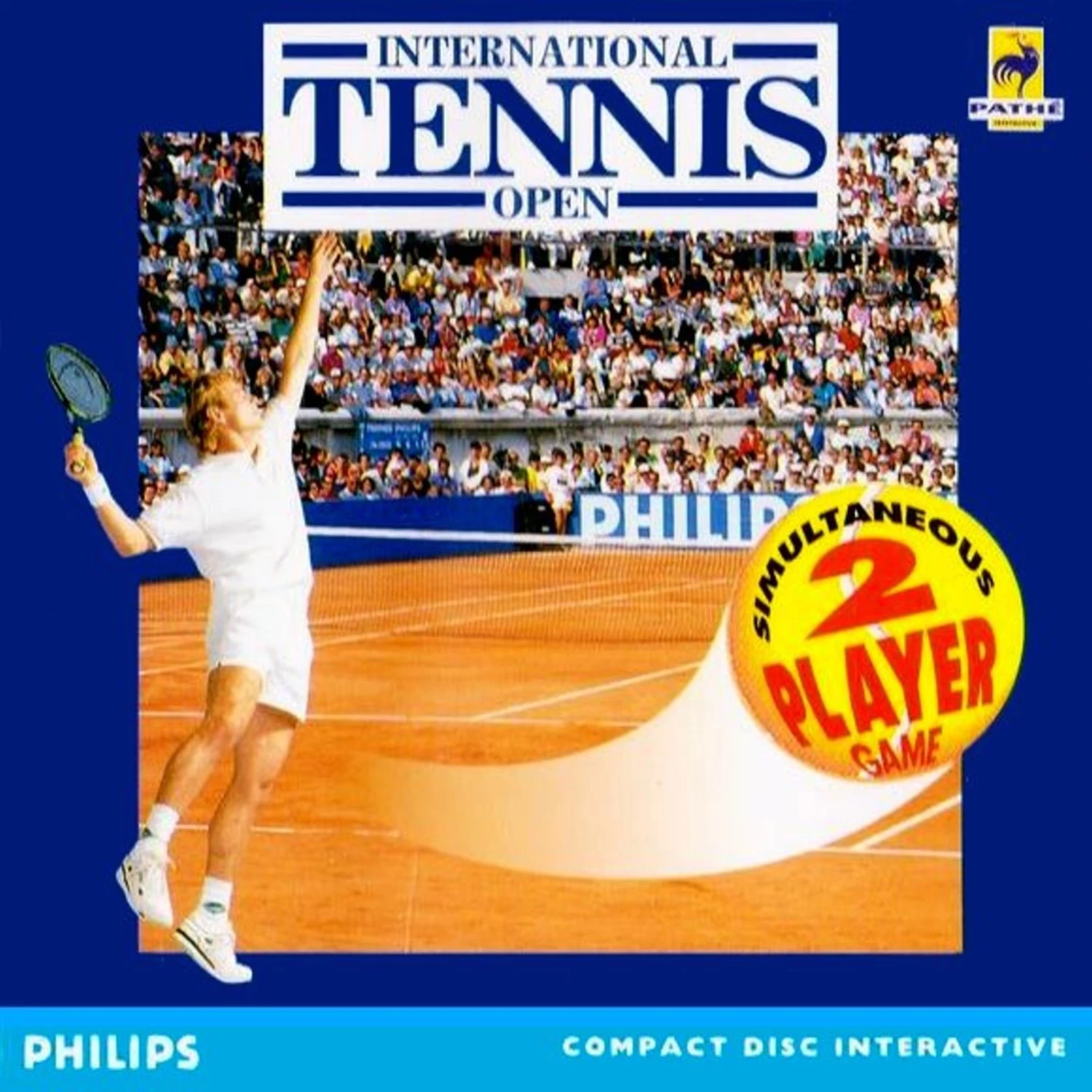
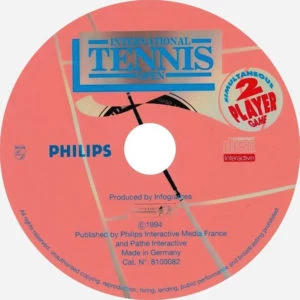
International Tennis Open 2 player – Review


International Tennis Open 2 player

After you managed to create your own Port splitter using our guide from the Open-Source section, you are now free to use your different wires controllers to play 2 player games! And what better game to try a 2 player game than International Tennis Open – 2 Player Version (ITO)? Well, let’s go for this review!
You don’t like playing tennis? you don’t know what you are missing my friend! This game will make you love tennis! … or hate… because it is hard like hell!

Take you original or homebrew Port Splitter, and connect it to your CD-i player (if your CD-i player needs it of course) and choose 2 wired controllers to play this photo-realistic game!

The 1st time saw this game, it make me think the guys on TV was real ones! An amazing game for its time!
I recommend you to connect your Sound Surround while playing this one!
You will feel you are in fact in the tennis court loaded of people!

The story:
You are Victor Player, an averaged tennis player who is trying to enter into the world ATP ranking! And you finally classified to 1 of the 3 most important tournaments of the world!
Train you services, and gameplay to win the cup! A fully commented game by George Eddy, an ex NBA player, with an unique voice for this job!

The game:
Infogrames, the producer of this game, hit almost the perfection with this amazing game back in 1992, the early days of the CD-i system!
Then, 2 years later, a 2 player version was created, and this is the one I am reviewing for you.
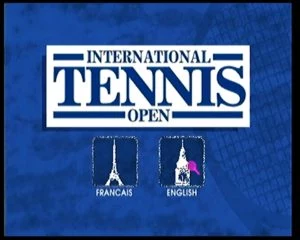
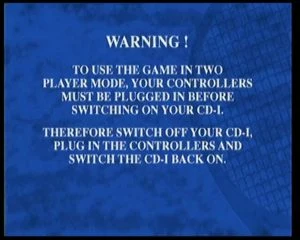
In this game, you need the Port Splitter (unless you own a CD-i player with INPUT 2 working as Player 2) with both 2 wires controllers connected to be able to experience the Head-to-Head version. If the system do not recognize both controllers, then you will get this message just after the language selection:
After everything well connected, restart your CD-i player and you are ready to feel a complete 2 player experience!
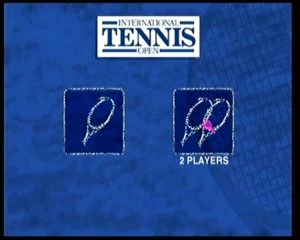
You will be get to the main game screen. From there you will be able to choose between those icons:
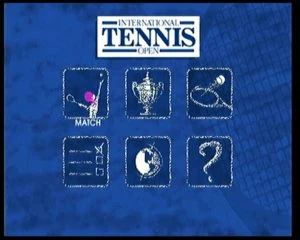

Friendly match (1 player or Head-to-Head), Tournament (1 player only), Training (1 player only), Options, Nationality, Info (game explanation).

Let’s discover each of them in a different sequence, starting from the Nationality, Options, Training, Friendly match and finally, Tournament.

NATIONALITY
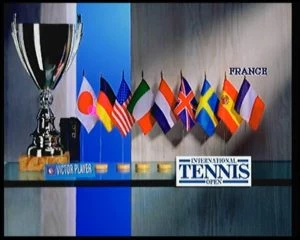

Choose the nationality of your character. You can choose between (in order from the selection):
Japan, Germany, USA, Italy, The Netherlands, United Kingdom, Sweden, Spain and France (no Portugal  😥 )
Each time you choose a country, you will listen his National Anthem.

OPTIONS
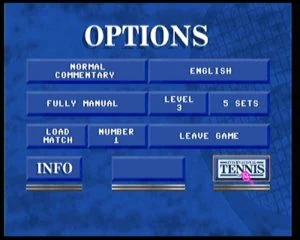

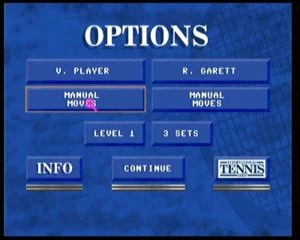
Here you can set many options that will definitely influence the gameplay.
– Commentary
Minimum or Normal commentary from George Eddy.
– Language:
Change the Language of the game.
– Game styles:
Fully Manual, Manual Moves, Manual Shots Defensive, Manual Shots Offensive.
– Levels:
Level 1 is the easiest level.
It includes a service visual help, using a yellow cross when the ball will hit the correct area, and a black cross and it will not.
You can see where the opponent service ball will hit, and also see the yellow cross if it will hit the correct area.
The ball and opponent speed are slower.
Level 2 is the medium level.
It doesn’t include any service visual help (cross is always black).
You can see where the opponent service ball will hit, but can’t see the yellow cross.
The ball and opponent speed are a little faster.
Level 3 is the hard level.
It doesn’t include any service visual help (cross always black).
You can’t see any cross on the opponent service.
The ball and opponent speed are pretty fast.
– Sets:
3 Sets or 5 Sets
– Load a saved game:
This is where you load your saved games.
You can load up to 3 saved games.
– Leave the game:
no need to say much more… right?
Remember to save your settings by pressing ITO logo!

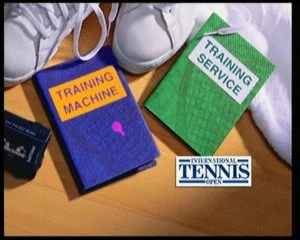
TRAINING

Choose your training
Training Machine
Training Service

This is a very important part of the game. I strongly advise you to train here if you are new to this game. It will help you to familiarize to the controls, the service and its cross system.
Press Button 1+2 to exit the Training.

FRIENDLY MATCH

1 or 2 players
Player configuration
Choose your court

Finally! This is what I talking about! A Head-to-Head match!
The options screen will only appear if you choose the 2 player game.
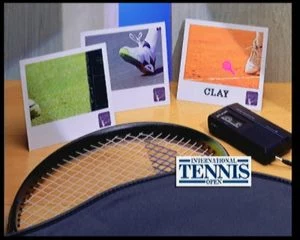
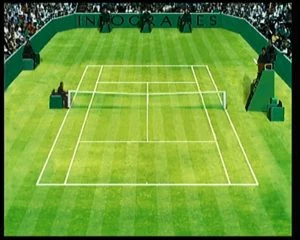
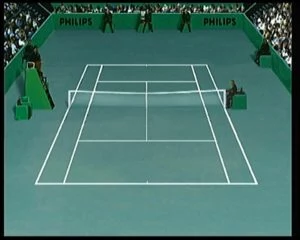
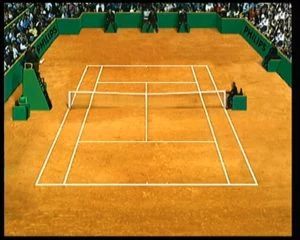
After all configured, just choose the court floor between Grass, Cement and Clay.
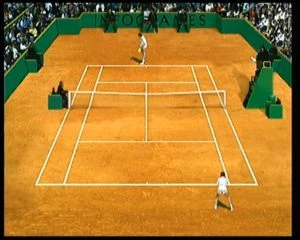
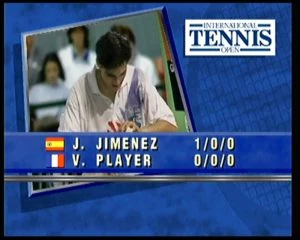
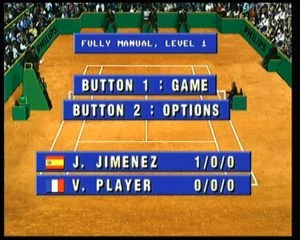
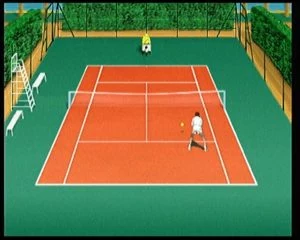
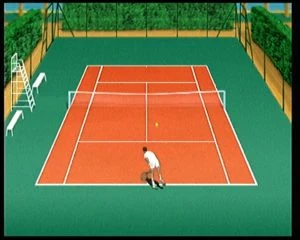
When playing a 2 player game, player 1 will start at the bottom and player 2 at the top. When changing sides, players also changes sides. This is an important point because, when playing a 1 player game, player 1 will always stay at the bottom, even when the players change sides, the view switch but the player keeps playing from the bottom.
You can Pause the game by pressing 1+2 button. Only player 1 can access the Pause.
From the Pause you can access the options and Save your Head-to-Head game to be continued later. You also can leave the match but still keep watching the CD-i playing the match for both players, or just simply leave the match.

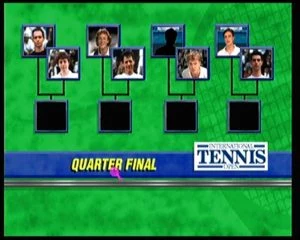
TOURNAMENT

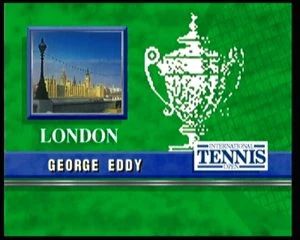
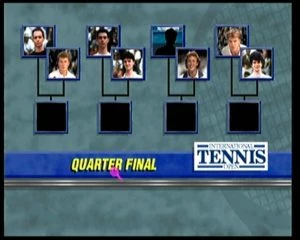
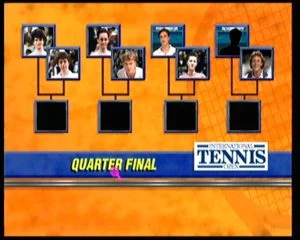
London
Wimbledon
Grass

New York
US Open
Cement

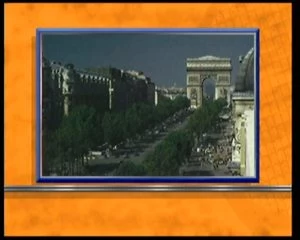
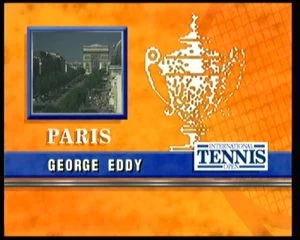
Paris
Roland Garros
Clay

Be careful, the ball will respond in a different way when hitting grass, cement or clay.
In grass, the ball will bounce lower, in cement it will bounce higher, and in clay it will bounce medium.
After each match you will see you rank from 99th to 1st, mach duration, 1st service and 2nd service percentage, aces, doubles faults, smashes, volleys, lobs and meters run.

HISTORY FACTS

playing using your Tele CD-i

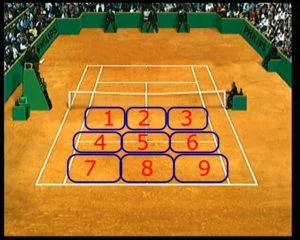
During Rolland Garros tournament in 1993 and 1994, Philips and FR3 (a french TV channel now renamed as France 3) broadcast a TV show where anyone could call and play against the invited of the presenter.
Using the phone keys from 1 to 9, he could move the player. The option was set as Manual Moves.
If the player win the match he receive a brand new CD-i 220 and International Tennis Open – 2 player Game.
It was a huge success.

TIPS
This is a very hard game, you will need to lost many hours playing to manage to defeat your 1st opponent.
I personally love this game, finished it many times in level 3, but still very challenging.

– Go training!

– Start playing in level 1 with only 3 sets.

– From the easier to harder opponent:
Jimenez, Ullman, Andersen and Garett.

When using button 1 press:
– left or right to place the ball on the sides.
– Up for a longer ball (lifted).
– Back for a shorted ball or lob.

When suing button 2 press:
– left or right to place the ball on the sides.
– Up for a faster ball or smash.
– Back for a drop shot.
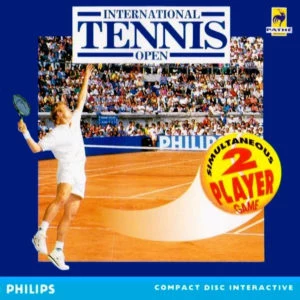
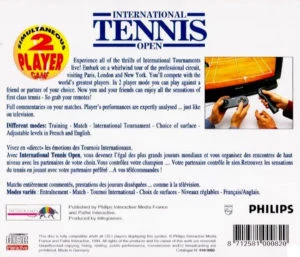
Good Points:
– 2 player game (Head-to-Head).
– DVC not required.
– Photo-realistic characters
– Public support!
– Over 1000 different comments in real time!
– Fully compatible with the latest version of CD-i Emulator.

Bad Points:
– Blond player will always appear with black hair.
– No changing side from bottom to top in 1 player mode.
– No female mode.
– No double match mode (2 players against 2 CD-i players).

EVALUATION:
Graphics 9/10
Sound 10/10
Gameplay 8/10
TOTAL 9/10

Contact: omegalfa@theworldofcdi.com
Twitter: @omegalfapt

Written by omegalfa, © 24/04/2020

Leave a comment |

Internet in de praktijk

Category Multimedia
Genre Reference
Players N/A
DVC DVC required
Producer
Publisher
Year
Catalogue #
EAN 9789065334251
Discs 1
Videos
Screenshots
Covers
Controller Remote
Description
Remarks Title translation:
“Internet in practice”
This disc is a CD-i Bridge, it will play on CD-i players and Windows 95 & 98.
Regional The Netherlands
CD-i Emulator
MAME
Reviews
Interviews
Downloads
Credits

Leave a comment |

Intersection

Category Video-CD
Genre Movie
DVC Yes
Publisher Philips Media
Year 1994
Catalogue # 8112070 (United Kingdom)
8111195 (United Kingdom) CD1
8111196 (United Kingdom) CD2
8122070 (France)
8142070 (The Netherlands)
EAN 8712581120702 (United Kingdom)
8712581220709 (France)
Discs 2
Videos
Screenshots
Covers
Controller Remote
Description
Remarks
Regional
CD-i Emulator
MAME
Reviews
Interviews
Downloads
Credits Retroman (Dutch catalogue number)

Leave a comment |

Interview with TwBurn

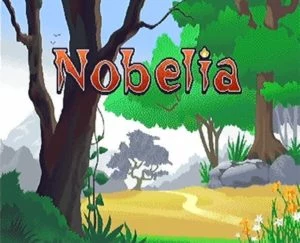
Jeffrey aka TwBurn is the man behind the USB2CDi adapter and the homebrew CD-i game called Nobelia.

As a professional programmer, he choose to give a “little” of his time to the CD-i scene, and hopefully for us, he is pretty good in what he do.
We all know the USB2CDi adapter that let you connect many modern controllers to your CD-i, but lately, he decided to start programming a CD-i game.
A Demo version will shortly see the day and it is the perfect time to interview him and see what is in his mind!

Omegalfa: Hey Jeffrey! How are you? For the people who still don’t know who you are, can you let us know a little bit more about you?
Where are you come from and what is your experience in the homebrew scene?
TwBurn: I’m Jeffrey, from the Netherlands. I don’t really have any experience with the homebrew scene, or game/hardware development. We had a CD-i player when I was a kid (my dad worked at Philips, he brought one home one day – first a 180/181 and later we got a 470, which I still have), I always loved that thing. A few years ago I bought two more players and a lot of accessories and games. During COVID I was looking for a new hobby, and remembered the boxes on the attic, it all spiraled out of control from there.

Omegalfa: You are the creator of the USB to CD-i adaptor (USB2CDi).
You can’t imagine how incredibly important it is for the interactive community.
You published your work on The World of CD-i Forum and we thank you for that.
Tell us more about that, what kind of hardware can you connect to the CD-i player?
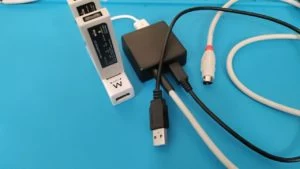
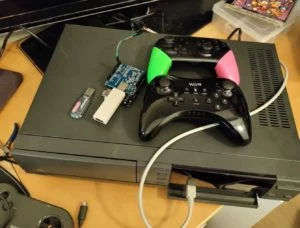
TwBurn: The USB2CDi project is actually two parts. First there is the Arduino Library I created, which acts as an interface to the CD-i player. Then I connected an USB Host Adapter and wrote some examples, that translate input to the CD-i. The USB Host adapter also supports Bluetooth, so wireless controllers are supported as well.
So basically anything that you can connect to an Arduino can act as a controller for the CD-i. Stuff like joysticks, keyboard, mice. I also experimented with using a WiiMote as a sort of “peacekeeper”
You’re not limited to USB/BlueTooth input, you could also hook up a NES/SNES or the newer Wii-adapter like controllers (used by the NES/SNES mini for example).
In the current version I also support two players; if wired up correctly, and to a CD-i player that supports the splitter adapter, the USB2CDi can act as a splitter and provide input for two players, using a single Arduino/cable to the CD-i.


Omegalfa: Do you have a compatibility list?
TwBurn: I’ve got “production like” code for mouse, keyboard, WiiMote and Wii U Pro controller using Bluetooth, and a Magic NS stick, which you can connect all kinds of controllers to.
The main issue here is that for each kind of controller you need to load new code to the Arduino.

Omegalfa: Are you thinking in increasing the compatibility? What about a PlayStation or Xbox controller?
TwBurn: I don’t own those myself, so it’s hard to test it out. But with some programming knowledge it should be fairly straightforward to get them to work.

Omegalfa: You faced many difficulties for sure until you got a satisfying result. Can you tell us the biggest ones?
TwBurn: The biggest issue was getting the USB controllers to work without lag. The communication to the CD-i player is very slow (in the order of 40 updates/second) so the USB buffer would fill up while transmitting the current state, introducing “lag” – ie the cursor would keep moving for a bit even if you let go of the stick.
In the end I solved this by implementing the communication to the CD-i player myself, instead of relying on a serial library. The serial library would block while transmitting, while my own code works of timer interrupts, which doesn’t block the execution of code.


Omegalfa: How difficult do you think it is for a rooky to build one using your open-source in a scale between 0 to 10? How long would it take?
TwBurn: Provided you got the parts, basic soldering skills are required to build an adapter, shouldn’t take more than an hour or two. If you use controllers where there’s already code for, no programming experience is necessary, only install the Arduino suite to load the software onto the Arduino. If you have a controller that’s not yet implemented, a bit of programming experience is handy, but I’d be happy to help in those cases.

Omegalfa: Do you sell them? Already mounted?
TwBurn: I’ve sold a few so far, I still have parts left, if anyone is interested, I’d be happy to build a few more. I put them in a small case and a CD-i connector, so they’re ready to use. You’d only need a micro-USB cable to supply power to it.

Omegalfa: For many people, just making the USB2CDi would be a giant task, for you it wasn’t enough. So you decided to jump into a new challenge, create a new CD-i game!
The 1st homebrew CD-i game was Frog Feast back in 2005 by Charles Doty (Rastersoft) and many years later Gameblabla made Super Quartet in 2019, still under work (need to solve sound and other minor issues).
Why?
TwBurn: Because it seemed a nice and fun challenge, It hadn’t really been done before, and I was curious if I could pull it off.

Omegalfa: We are talking about a Bomberman style game but with a female character. Did you had already the idea in mind of this kind of game?
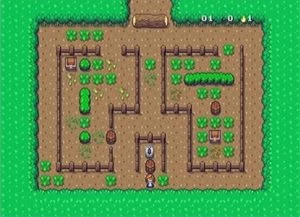
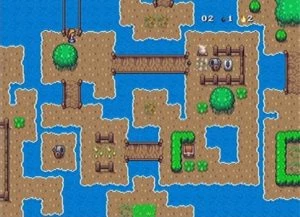
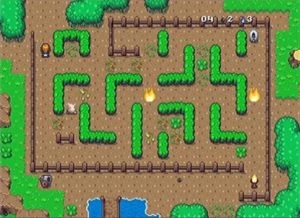
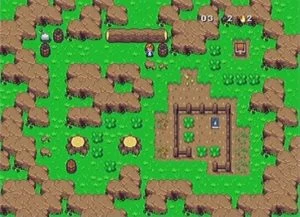
TwBurn: No, Initially I wanted to build something else first, but that would need more features, like scrolling. So I decided I’d make a more straight-forward game first, Bomberman seemed like a good idea, tile based, no scrolling, simple gameplay. While making the game I’d get more ideas and added those into it as well. So even at the moment there’s a lot more in the game than I originally planned.
I’m bad at graphics so I used open game assets, and I liked the style of both the tiles and the game character, so I took those.


Omegalfa: Nobelia is the game’s name. Any reason for this name?
TwBurn: It’s a wordplay on “Nobel” – as in Alfred Nobel, the inventor of dynamite. Nobelia can either refer to the female protagonist or to the mystical land she finds herself in – you can pick which you prefer for yourself 😉

Omegalfa: As professional programmer, this is your 1st game attempt?
TwBurn: Yes and no. I once made a version of Pac Panic for a 8k (iirc) javascript challenge (8K for the HTML, Javascript and images combined) – and at university we made a (multiplayer) game with cars that shoot vegetables at each other. But those are all ages ago.

Omegalfa: The game looks amazing!
A Demo version will be very soon available publicly with a free download and burnable on a CD-R.
Are you thinking in publishing it?
TwBurn: I might, I’m currently still thinking about where I want to take the game. The demo has 4 levels, each with it’s own “gimmick”, I’m not sure how many levels I’d want for a full game, and how I can keep them all interesting given the limited size of the screens. I might make a boxed version if there’s interest in that.


Omegalfa: I just can’t imagine how difficult it has been to just reach the 4 playable levels.
Can you tell us the biggest difficulties you faced?
TwBurn: Biggest hurdle was getting started, getting a development environment running and setting up the code to boot into a game. All the tools are severely outdated.
The rest was pretty straight forward, though the loading of assets and sound/music were the biggest problems.


Omegalfa: Cdifan, the man behind the CD-i emulator did helped you on both Nobelia and USB2CDi, would it be possible to, at least, make Nobelia?
TwBurn: Well, it certainly would have taken a lot longer, and I might not have figured everything out by myself.
Cdifan helped a lot with the coding aspect, giving hints on how to tackle certain problems.

Omegalfa: The documentation are enough? What would you like to see available to turn it easier for future people interested in making a CD-i game?
TwBurn: Once you have found all the documentation, and have a reasonable programming experience, it’s pretty understandable. The main issue is the outdated tools and compiler and such. They don’t run on modern PC’s, require a 32-bit Windows (VM) – and the compiler can be quite finicky/buggy at times.
Also testing the game can be tough. CD-i Emulator is a great help, since I don’t want to burn a CD-R for each build.

Omegalfa: How many levels the game will get?
TwBurn: I’m not sure yet, will depend on how many levels I can make without them becoming stale/repetitive.

Omegalfa: Are you going to add extra features on it?
I mean 2 players (head-to-head)? High scores? Options (music/SFX on/off and difficulty)? Credits page?
TwBurn: This one will remain one player, it’s more of a single-player-adventure kind of game than actual Bomberman at the moment. No scoring system, I wouldn’t know what would be an interesting way to assign scores to this. Options maybe if they would add something. I do plan on adding some buttons to the title screen, maybe a level select or a save feature. The demo doesn’t have lives, I don’t think I’ll add those because I feel that’s just artificial difficulty. I will remove the “resurrection” feature that’s currently there (if you press button 2 when you died, you’ll resurrect at the same place)

Omegalfa: Is the final version going to need the Digital Video Cartridge (DVC) for the extra memory?
TwBurn: No, I don’t think there will be a lot of things added that will require more memory. Levels are very small and only loaded in when needed.

Omegalfa: You are known as TwBurn on the web. The Discord server did helped in getting fast answers. How do think the people’s involvement and reaction about the Philips CD-i is getting outside the community?
TwBurn: The Discord really helped, I love that as a way for fast communication, so I was lucky that started around the same time I started building the game.
There are some phenomenal people on there, with very intimate knowledge of the hardware and software side of the CD-i, a great love for the system and the willingness to share and help others with their knowledge. Those really make the community.
The CD-i community seems quite segmented, there are a few different sites, Facebook and discord, for the (small) total size of the community this can be a bit challenging, to reach the right people.

Omegalfa: Thank you very much for the time you spend answering the questions.
What would you like to say to future interested people in developing CD-i homebrew titles?
TwBurn: Give it a go, it’s a lot of fun and if you get stuck there’s a lot of people, including me, that are willing to help! In all honesty I hope to inspire other people to take up the gauntlet and do some hardware/software development for the CD-i.

Thank you very much for your time Jeffrey, good luck with the development of this game and who knows… maybe another one in the future!

omegalfa 08/05/2021


Leave a comment |
« Previous Page

CD-i titles

  • [01] Games (144)
  • [02] Kids (82)
  • [03] Multimedia (275)
  • [04] School 2000 (8)
  • [05] Homebrew (7)
  • [06] Music (31)
  • [07] Karaoke (197)
  • [08] CD+Graphics (24)
  • [09] Photo-CD (41)
  • [10] Digital Video on CD-i Movies (21)
  • [11] Digital Video on CD-i Music (14)
  • [12] Video-CD Movies (128)
  • [13] Video-CD Music (17)
  • [14] Video-CD Others (39)
  • [15] Video-CD Sampler / Demo (6)
  • [16] Web-i / CD-Online (5)
  • [17] Internal Use (1)
  • [18] Professional (98)
  • [19] Promotional (16)
  • [20] Demonstration Only (52)
  • [21] Free Demo Discs (19)
  • [22] Tutorial discs (2)
  • [23] Testing Discs (86)
  • [24] Unreleased (46)

More…

  • Catalogue #6900000-0 (USA) (223)
  • Catalogue #69900000-0 (Europe from USA) (24)
  • Catalogue #8100000 (Europe) (156)
  • Catalogue #8110000 (United Kingdom) (101)
  • Catalogue #8120000 (France) (179)
  • Catalogue #8130000 (Germany) (123)
  • Catalogue #8140000 (Netherlands) (200)
  • Catalogue #8150000 (Italy) (57)
  • Catalogue #8160000 (Iberica) (47)
  • Catalogue #8170000 (Scandinavia) (8)
  • Catalogue #8180000 (Belgium) (29)
  • Catalogue #8190000 (Worldwide) (46)
  • Catalogue #PCIM/X-00000 (Japan) (27)
  • Catalogue PC/MAC (17)
  • CD-i Bridge (21)
  • CD-i Ready (40)
  • Exclusive Regional titles (398)
  • Interviews (4)
  • Reviews (24)
  • Tips & Tricks (23)
  • USA Release (43)

Search titles

Guess the picture!

Guess pic!

CyberChimps WordPress Themes

© The world of CD-i [Please add credits to us when using any content from this site]